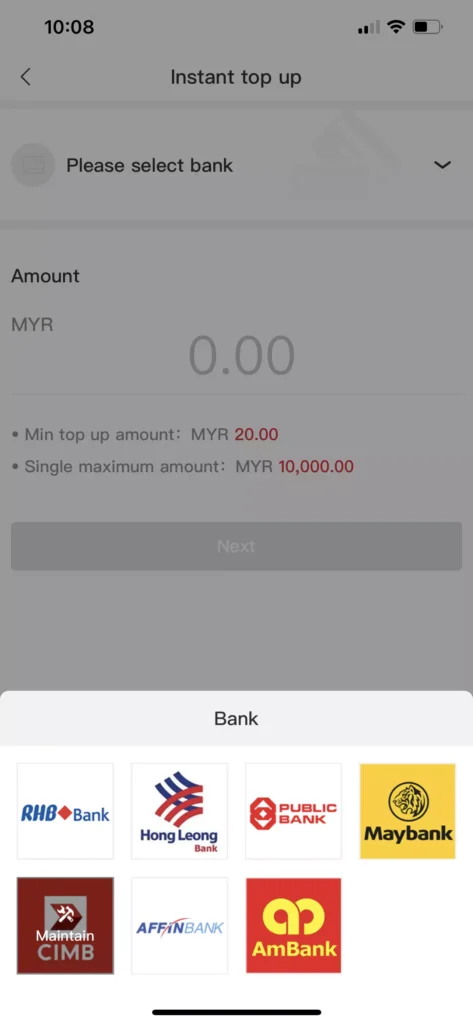
1. Log in and select “Instant Top Up” on the Winbox platform.
2. Choose your preferred bank.
3. Enter the amount you want to top up.
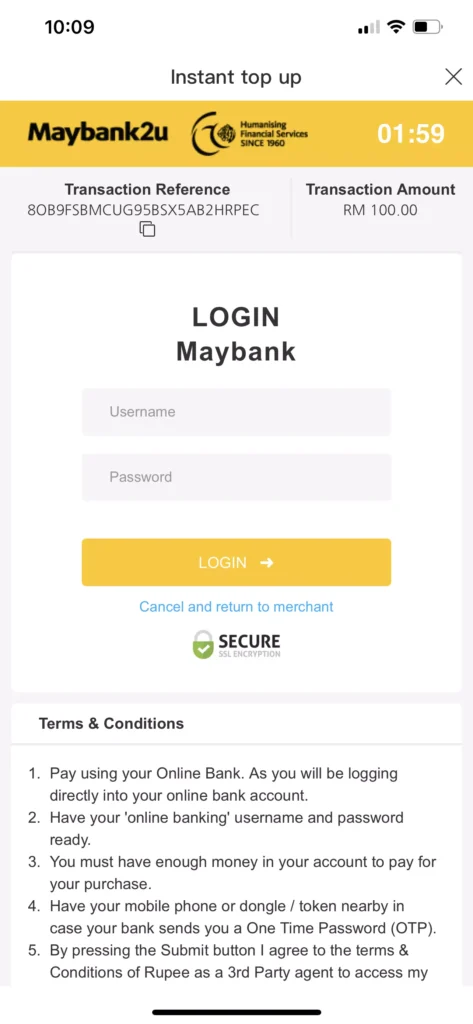
4. Enter your bank account ID and password as requested.
5. Enter the OTP sent by your bank to confirm the transaction.
6. Once the transaction is approved, the top-up will be credited to your account.
Before Making a Bank Transfer
Always double-check the bank account details displayed on the Winbox88 platform before making your transfer. Enter the correct transfer amount and keep your payment receipt until the top-up has been successfully credited to your account.
Top Up Not Credited?
If your Winbox balance has not been updated after completing a top-up, check that the transfer was completed successfully and keep your payment receipt.
Contact Winbox Customer Support and provide the transaction details and receipt so the team can check the status of your top-up.